SKIP NAVIGATION
One UI 9 Watch Design Story A Circular Experience Refined September 18, 2026

Optimized for the circular display of the Galaxy Watch series, the information architecture in One UI 9 Watch further refines the One UI experience. From presenting essential information during a workout to understanding your health throughout the day and extending the experience to mobile, these interactions come together to create a more consistent UX.

The improved information architecture establishes a clearer hierarchy within the circular display, while health information is presented through an intuitive visual language that makes your current condition easier to understand. Discover One UI 9 Watch, designed to bring a more intuitive UX to every moment of your day.

* Content images are for illustrative purposes only and may differ from actual products, UX, and usage environments.
A large Galaxy Watch Ultra2 trail-running screen appears in front of a runner’s legs on a mountain path, followed by the Samsung Health app on a smartphone displaying workout distance, time, heart rate, and other results.

The Clarity of Health

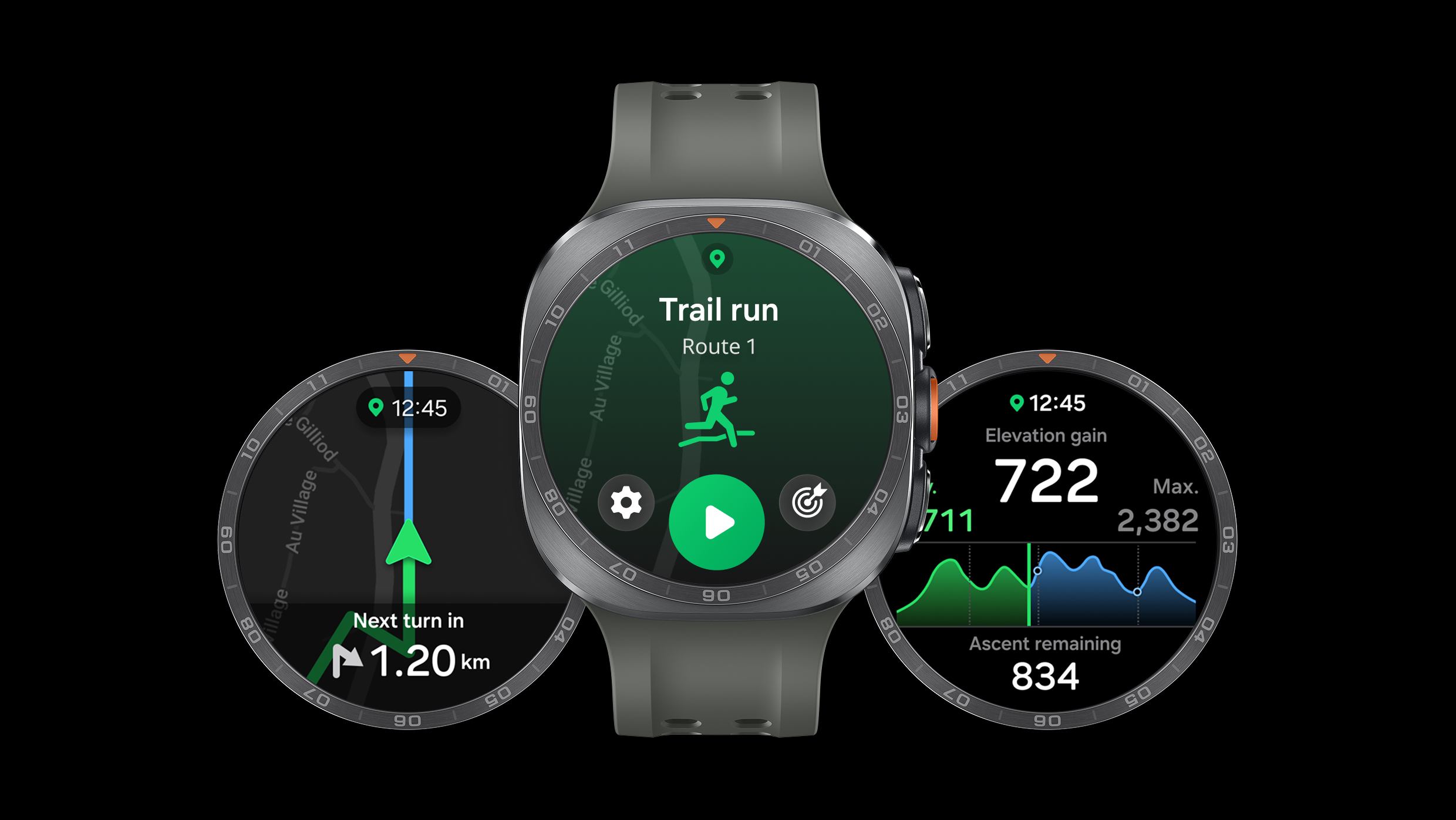
Against a black background, three Galaxy Watch Ultra2 devices with round screens and dark gray bands overlap. The center screen shows a trail-running start screen, while the side screens display distance to the next turn and elevation information.
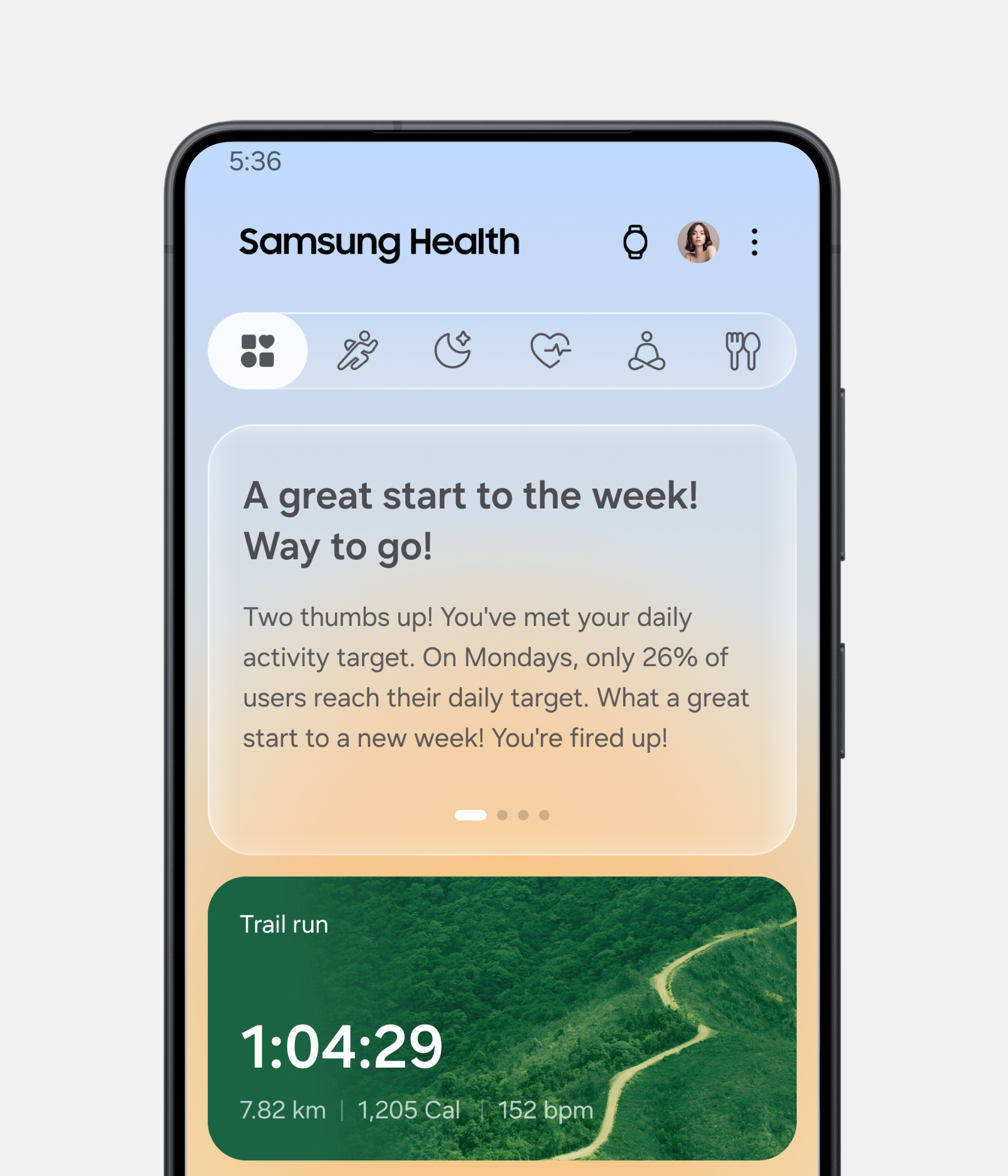
The Samsung Health app is open on a black smartphone shown vertically. Below an encouraging message about meeting the weekly activity goal, the Trail Run record shows 1 hour 4 minutes 29 seconds, 7.82 kilometers, 1,205 calories, and an average heart rate of 152 beats per minute.

Samsung Health

Connected from Start to Finish

On One UI 9 Watch, Trail Running connects every stage of a run, from route planning and real-time information to post-workout analysis. During a run, key data such as location, elevation changes, heart rate, distance, and pace is presented in real time, helping you understand your current status at a glance and stay focused on your run. Galaxy Watch becomes a running companion, delivering the information you need at the right moment. After your run, you can view detailed workout results and records in Samsung Health.

Health Throughout the Day

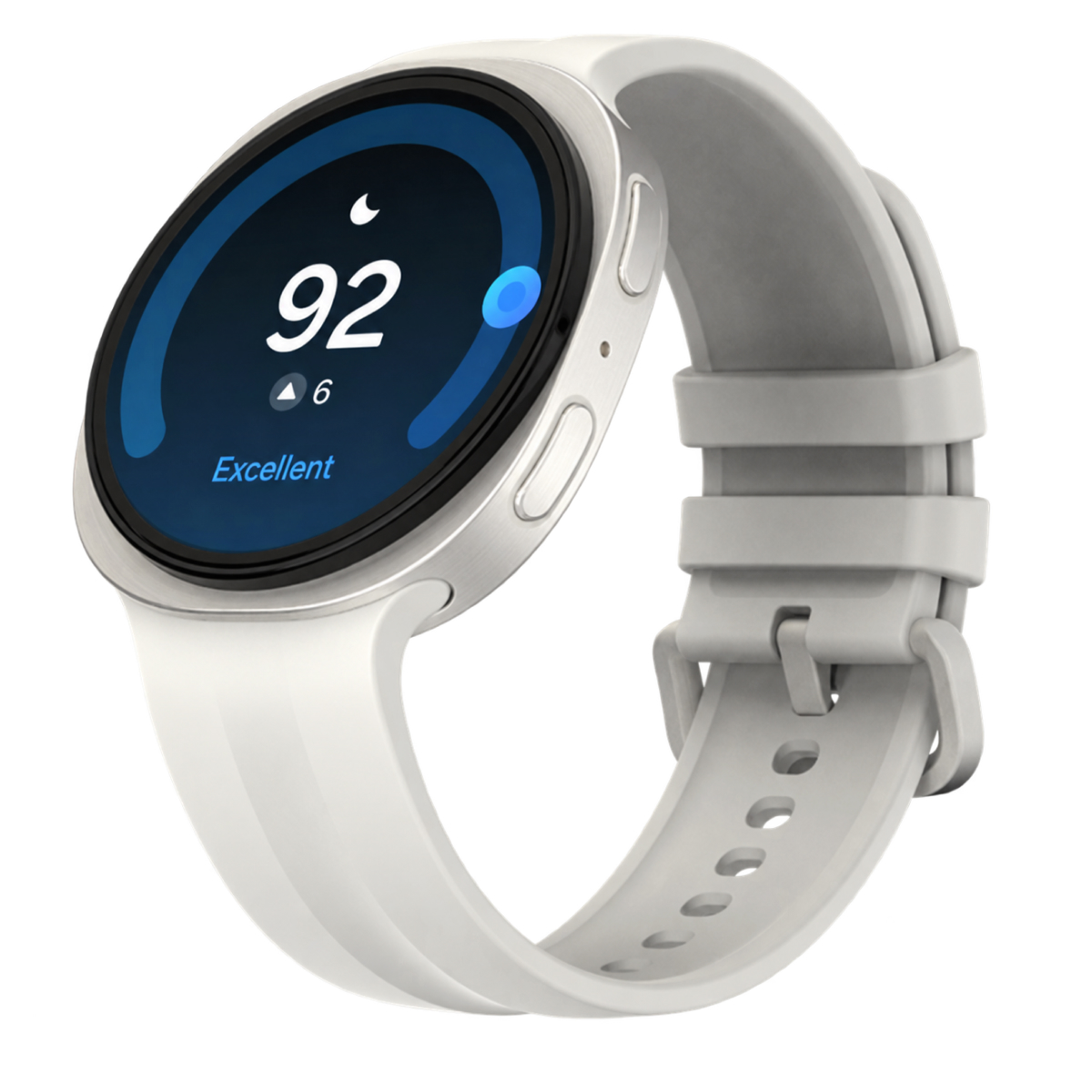
Staying informed about your health extends beyond exercise. Before you go to sleep, One UI 9 Watch summarizes your daily activity. While you sleep, it records your condition. In the morning, it provides sleep data and health insights, including information on heart health and vital signs collected overnight.

A smartwatch with a white silicone band and a round silver case is shown at an angle. Its dark blue screen displays a crescent moon icon, a sleep score of 92, an increase of 6 points, and the word “Excellent.”
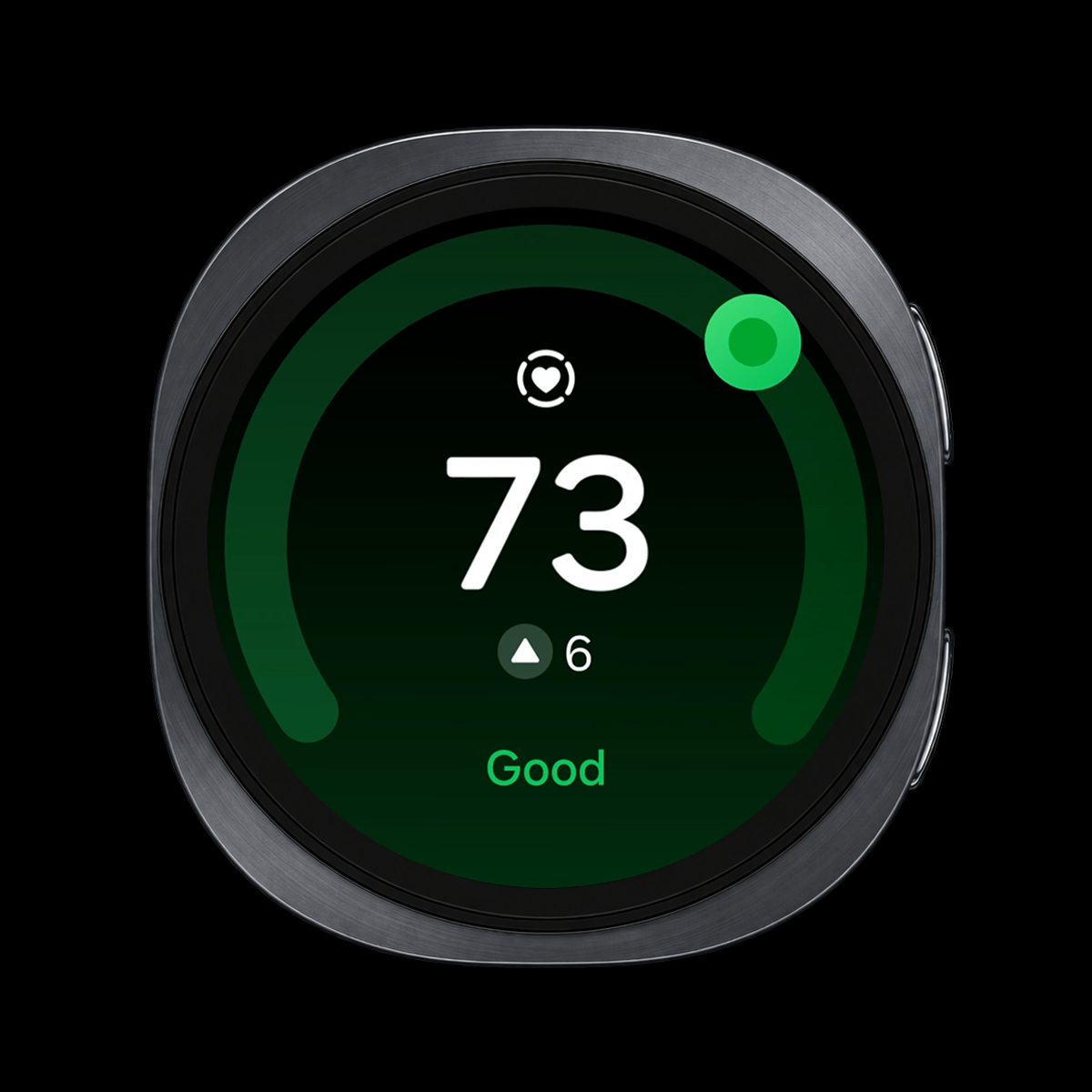
On a round smartwatch against a black background, a heart health score of 73, an increase of 6 points, and “Good” appear in green.

Heart health

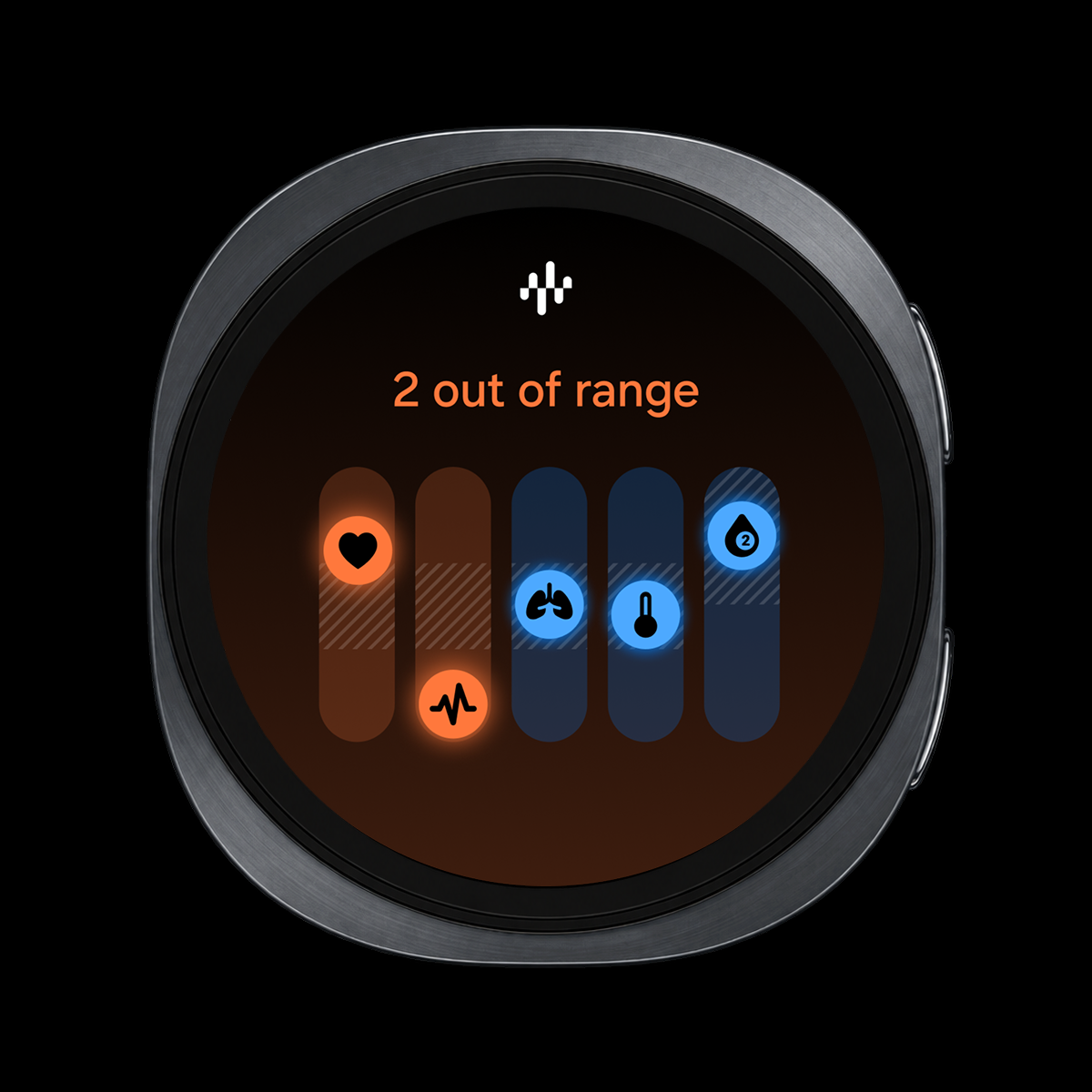
A round smartwatch screen displays “All in range” above two orange and three blue icons for health indicators including heart, heart rate, lungs, and body temperature.

Vitals


On a vertically held smartphone against a white background, wellness cards in the Samsung Health app slide from side to side. They successively offer recovery guidance after insufficient sleep, calorie-goal guidance, congratulations for meeting an activity goal, and a breathing-exercise suggestion for deep sleep, while the background shifts between blue, yellow, and purple. An energy score of 92 and workout records appear below.

Samsung Health

The Samsung Health experience extends to the smartphone app. Mood backgrounds that change with the time of day make complex health information easier to understand. Health information viewed on your Galaxy Watch can be explored in greater depth in the Samsung Health app, helping you take a closer look at your health.

A round smartwatch displays a compass pointing west at 270 degrees and an elevation of 922 meters. It then shows circular cards for health indicators including heart health, sleep, a heart rate of 61 beats per minute, and 101 decibels of noise.

The Precision of Circular Design

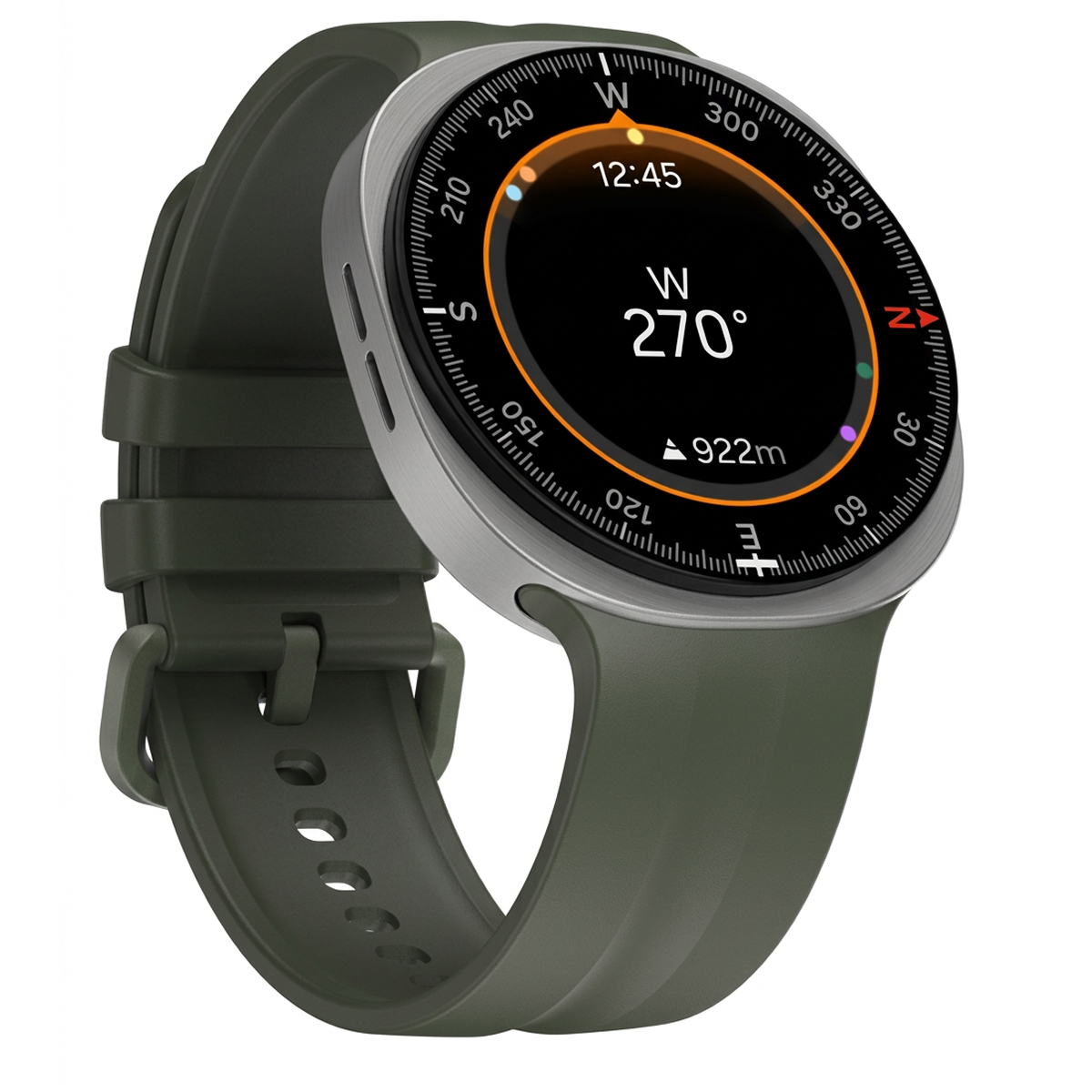
A smartwatch with a dark green band and a round silver case is shown at an angle. The compass on its black screen displays west at 270 degrees and an elevation of 922 meters.

Designed for the Circle

The information architecture has been restructured for the circular display to improve visibility. In the Compass app, a radial layout that starts from the center of the screen creates a natural visual flow, while elements arranged by importance establish a clear information hierarchy. Infographics use color and form to make status information easier to recognize while enhancing visual appeal.


A round smartwatch displays portrait photos as its background with the time overlaid in large numbers. The photo and time layout change, while the weather remains partly cloudy at 23 degrees.

Portrait Watch Faces


Activity and birthday-event cards appear small on a smartwatch screen, then a control below moves and enlarges the cards.

Responsive UI

Designed to Adapt

The Responsive UI adjusts the amount of information shown based on screen size and adapts the layout to different font sizes, providing an optimized experience across different Galaxy Watch models. Portrait Watch Faces adjust the clock form and layout based on the applied image, creating a composition that complements the content.

Three smartphones show different Galaxy Watches and their settings, then the center phone scrolls through and selects watch faces. Previews include photo, analog clock, and activity-tracking styles.

The Ease of Everyday Use

A Clearer Home

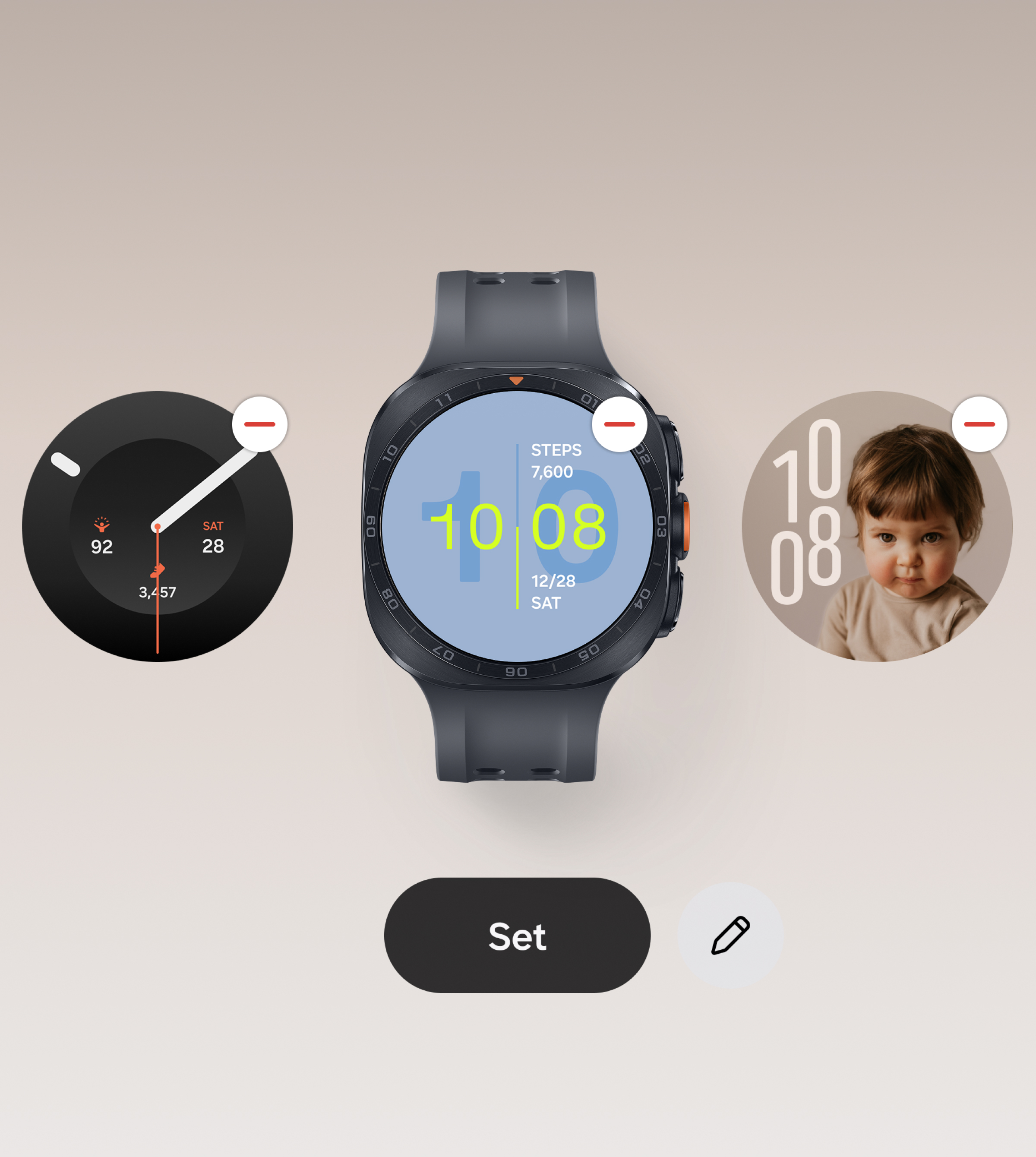
Galaxy Wearable has also been refreshed. The Home screen makes frequently used features easier to access, allowing you to select and apply watch faces while viewing them on the Galaxy Watch preview.

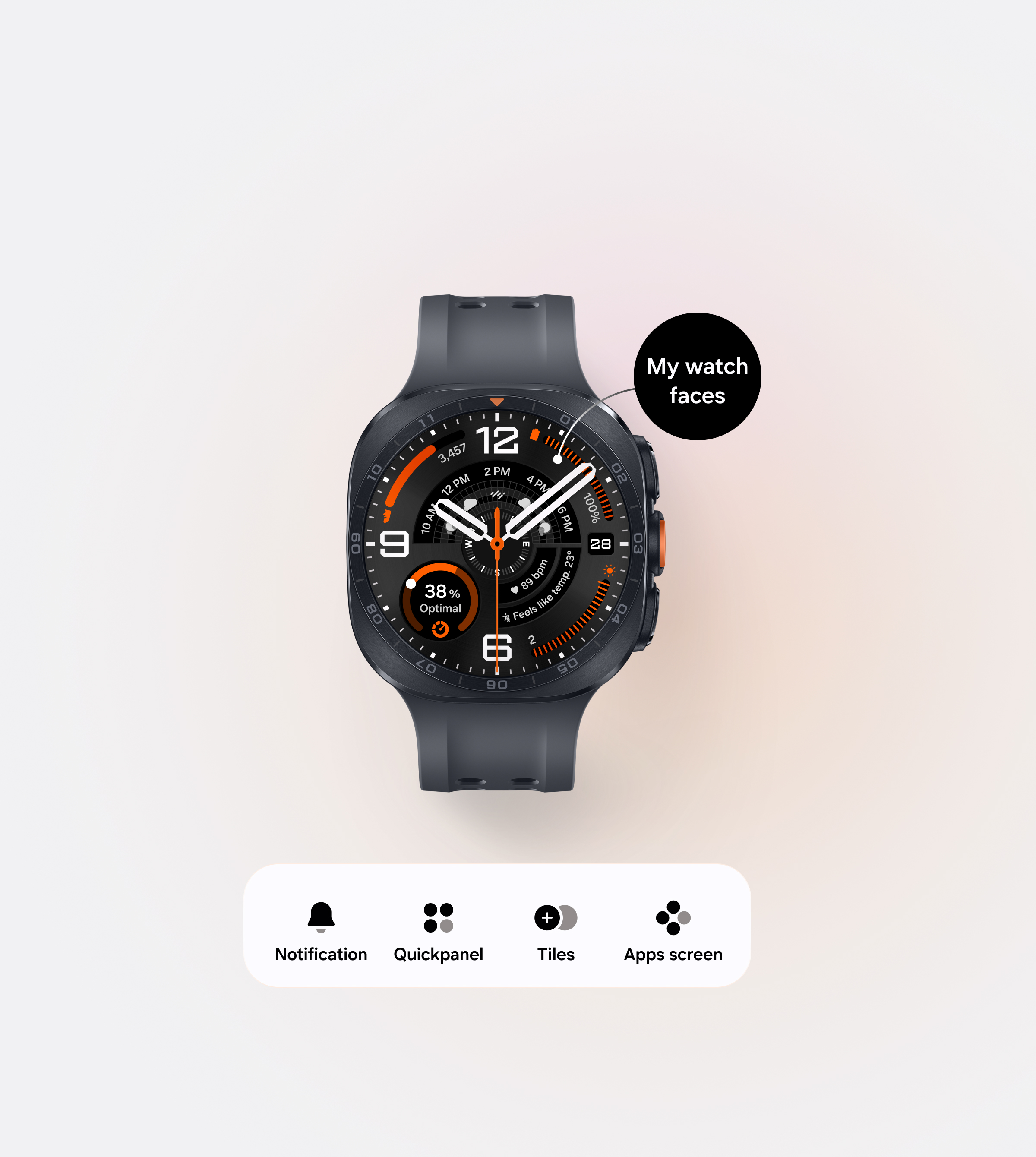
A smartphone app displays a black Galaxy Watch Ultra2 with an analog-style watch face showing multiple pieces of information. A menu below leads to notifications, quick panel, tiles, and the apps screen.

Galaxy Wearable-Home

Three watch faces appear side by side in a smartphone app. The Galaxy Watch Ultra2 in the center displays 10:08 and 7,600 steps, with a “Set” button below to apply the selected face.

Galaxy Wearable-My Watch Faces

A Simpler Way to Explore



You can swipe through different watch faces without navigating to a separate screen, making it easier to explore and find a style that suits you. The settings interface has been reorganized with fewer menu levels and a simpler editing process. Its streamlined structure provides quicker access to the menus you need and makes it easier to configure your preferred settings.

A smartphone browses several watch-face designs, then selects the clock style and colors for the Radial Dashboard watch face before saving.

Galaxy Wearable-Watch Faces

A smartphone configures information areas on the Radial Dashboard watch face. It selects items to display, including battery, compass, date, running distance, heart rate, altitude, steps, and running.

Galaxy Wearable-Settings

On a white background, the text reads, “Deeply Understood. Thoughtfully Shaped.” Pale green and mint concentric-circle graphics appear below.

Galaxy Watch stays close throughout the day and is often used in brief moments. That makes what appears on its small display, and how clearly it can be understood, all the more important. Grounded in a deep understanding of everyday life and careful consideration for the user, One UI 9 Watch brings greater refinement to the One UI experience, shaped specifically for the circular display of Galaxy Watch.

Designed by Mobile eXperience Business UX Team

닫기